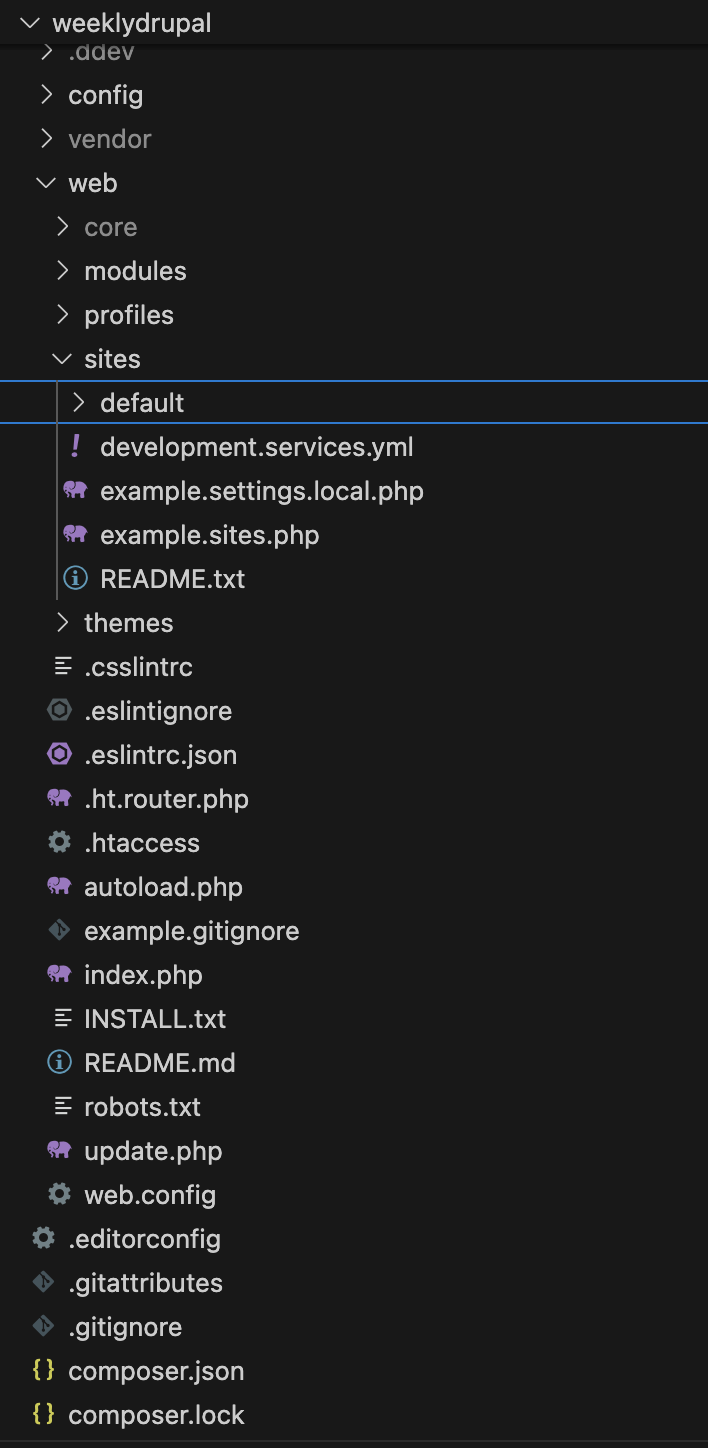
When you open a Drupal project for the first time, the folder structure might look like a whole new universe. But once you understand what each folder does, everything becomes clearer, whether you're a site builder managing content, a Drupal developer writing custom modules, or working your way toward becoming a Drupal engineer.
A clean directory structure is more than organization. It’s stability, maintainability, and long‑term sanity.
Why the Directory Structure Matters
Understanding the structure helps you:
- Avoid breaking core files
- Keep custom code isolated and clean
- Make updates smoother and safer
- Use caching layers (Redis, Akamai, CloudFront) correctly
- Deploy confidently across environments (local → dev → stage → prod)
- Communicate better with your team or hosting support
Even if you’re new and just using the CMS UI, this foundation still matters.
A Simple Breakdown of the Key Drupal Folders
/core/ — The Engine of Drupal
This is Drupal’s heart. Never edit anything here. Updates replace this entire folder.
/modules/ — Where All Features Live
modules/contrib/→ downloaded from Drupal.orgmodules/custom/→ your features, form handlers, APIs, and custom logic
For Drupal developers, this is your main workspace.
For Drupal engineers/architects, this is where structure and standards matter most.
/themes/ — The Design Layer
themes/contrib/→ ready‑made themesthemes/custom/→ your custom Twig, CSS, JS, design system
Themes control how it looks; modules control how it works.
/sites/ — Everything Specific to the Site
This folder holds:
settings.php→ database, Redis, reverse proxy, environment configssites/default/files/→ uploaded images and documentsconfig/→ exported configuration (*.ymlfiles)
For site builders:
- When you upload a file → it appears in
sites/default/files/ - When you create a field or update a view → it becomes part of the config system and is saved as YAML during config export
If you're using Config Split, each environment has its own config folder.
If you're not, there’s usually just one shared config export.
/vendor/ — Composer Dependencies
All PHP libraries installed via Composer. Never edit files here.
How This Structure Helps a Drupal Developer
As you grow:
- Writing custom modules becomes predictable
- Debugging gets faster
- CI/CD pipelines run smoothly
- Cache layers work correctly
- Multisite setups make sense
- Config workflows feel natural
This structure is your foundation.
How It Helps a Drupal Engineer / Architect
At the architecture level:
- You plan module structure
- You design config split strategy
- You define coding standards
- You avoid technical debt
- You ensure no one touches core or vendor
Good architecture starts with good structure.
Common Mistakes Beginners Make
Editing files inside /core/
This breaks after every update.
Placing custom modules inside /modules/contrib/
Creates confusion and future problems.
Manually uploading files into sites/default/files/
Always use the UI.
Forgetting config export
If you don’t export config, your changes won’t move to other environments.
Not using config split for multi‑environment setups
This causes conflicts between dev and prod.
Mixing theme and module responsibilities
Themes = design
Modules = functionality
A Simple Way to Remember the Structure
Drupal is like a well‑organized kitchen:
- core = the stove
- modules = the cooking tools
- themes = the plating
- sites = the pantry and recipes
- vendor = groceries from outside
When everything stays in the right place, the cooking stays clean and fun.
Whether you're a site builder, a Drupal developer, or becoming a Drupal engineer, this foundation will save time, reduce bugs, and make your future work easier. It reduces friction, prevents mistakes, and makes Drupal feel less like guesswork and more like a system you can trust.